Is your computer running slowly? Looking for ways to make your computer faster? You’re not alone. Many PCs lose performance over time due to multiple reasons, including outdated drivers, software conflicts, or hardware not running at its full potential. However, with the right tool, you can get your PC back to its original performance. Driver Booster is designed to automatically scan your system, detect outdated or missing drivers, and update them safely, ensuring your hardware functions at its best. Follow this guide to learn everything about Driver Booster and how this program unlocks full PC hardware potential.
Part 1: Common Causes of Slow Performance
Before diving into Driver Booster, it’s essential to understand the common reasons that can slow down your PC performance. Below, we’ve mentioned the top ones:
- Outdated Device Drivers
- Insufficient RAM
- Malware Infections
- Outdated Hardware
- Cluttered Startup Menu
- Pending System Updates
- Too Many Background Programs
Part 2: Driver Booster: Unlock Maximum PC Performance
Outdated drivers are one of the main reasons behind your PC’s slow performance. They prevent your hardware from operating at its full potential, causing lags, crashes, and reduced efficiency. Driver Booster automatically scans your device and detects outdated or missing drivers, and updates them automatically with a single click. The program includes a database of over 18 million drivers, covering almost every hardware device, including graphic cards, sound cards, printers, and motherboards, helping you fix common device errors such as no sound, unstable network connections, unrecognized USB devices, and more. With regular updates, Driver Booster helps your PC run faster and reduce system errors.
Part 3: Why Driver Booster Is The Top Choice For Optimizing PC Performance
Driver Booster includes amazing features and capabilities that make it a must-have tool to boost your PC speed. Here are the top features of this program:
- Automatic Scan: Driver Booster automatically scans your PC and finds the outdated or corrupted drivers, allowing you to update them all at once with just a single click — no manual effort required.
- Vast Library of Drivers: The program includes 18 million + drivers from more than 1200 manufacturers, including popular brands such as INTEL, AMD, ASUS, Microsoft, Canon, Brother, Song, LG, and MSI.
- Dual Certification: Every driver available on Driver Booster goes through both Microsoft WHQL and an IObit security scan, ensuring that all updates are safe, stable, and reliable.
- Compatibility: Driver Booster is available on the IObit official site and supports all Windows and ARM64 devices. It works seamlessly with Windows 11, 10, 8.1, 8, 7, XP, and Vista.
- Intuitive Interface: One of the standout features of this tool is that it offers an intuitive interface, allowing users to update outdated drivers with a single click — no manual effort or professional help required.
Part 4: Essential Tips to Optimize Your PC Speed
If you’re finding your PC performance slowing down and not performing like it used to, follow these tips to boost speed and improve overall efficiency:
- Install Latest Drivers: One of the best ways to get the most from your PC is to have the latest drivers installed. Use tools like Driver Booster to always keep your PC drivers up to date.
- Uninstall Unnecessary Programs: Unused apps or programs can make your system slow. By regularly checking and removing them, you can optimize your computer’s speed.
- Run Disk Cleanup Utility: The Disk Cleanup tool helps get rid of old and unnecessary files. By clearing out junk files, cache, and system clutter, you can free up storage, improve system speed, and prevent slowdowns.
- Limit Startup Processes: As we all know, many programs automatically launch when your PC starts, which can reduce overall PC performance. Limiting these startup applications can free up system resources and speed up startup.
Part 5: How to Boost Your PC Speed Using Driver Booster
Driver Booster allows users to update outdated drivers with a single click, improving overall PC performance. Here is how to use Driver Booster:
- Go to the IObit official site and download the latest version of Driver Booster on your PC. Launch it and click on the “Scan” button.
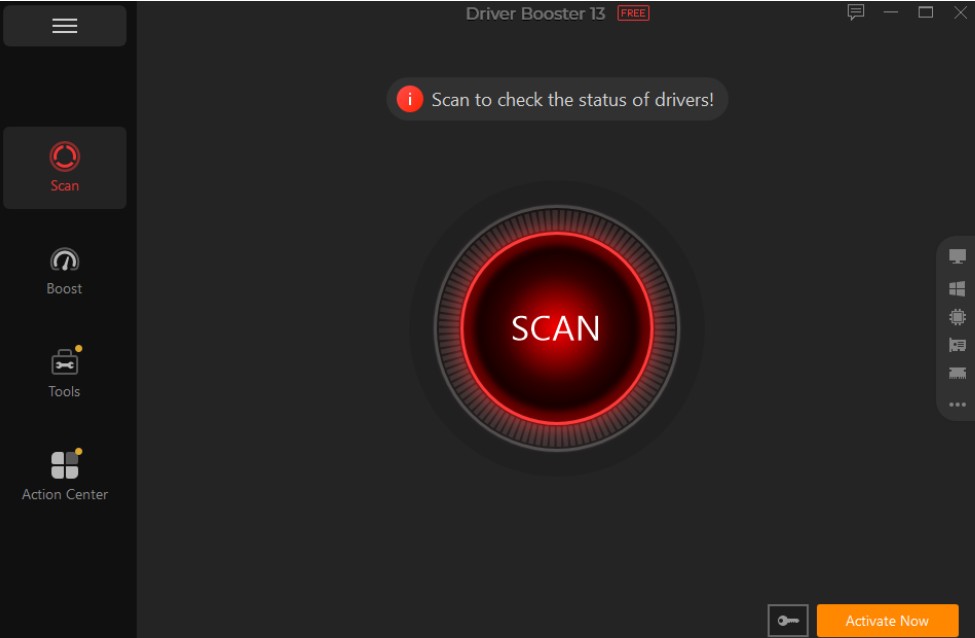
- Driver Booster will begin the scanning process and within seconds list all the outdated or missing drivers on your PC.
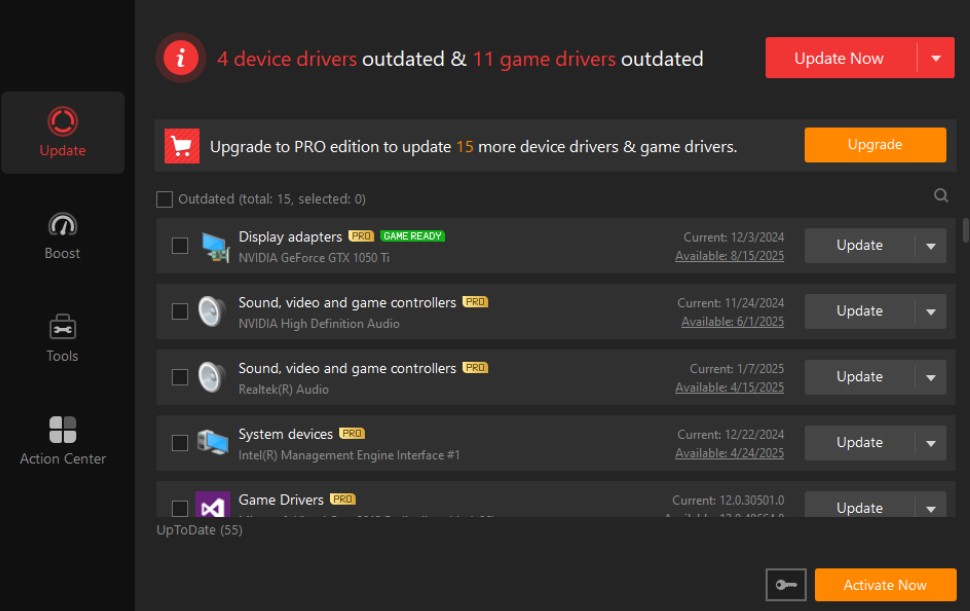
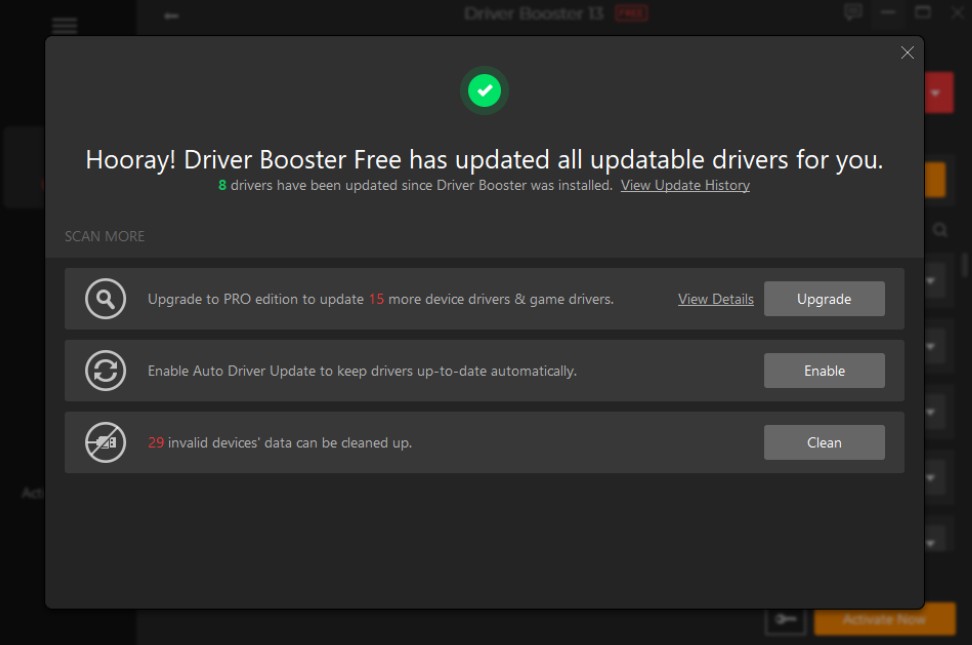
- Choose the specific driver you want to update or click the “Update All” button to automatically update all outdated drivers at once.
Final Thoughts
With the help of tools like Driver Booster, you can increase the overall performance of your PC. This driver updater automatically detects the outdated drivers and updates them with a single click — boosting your PC speed. The program’s intuitive and easy-to-use interface makes it accessible for every type of user. Beyond updating drivers, Driver Booster also helps fix common device errors, such as unstable network connections, no sound, printer failures, and more.
Also Read: Beyond the Blueprint: How Custom Worm Gear Design Prevents 80% of High-Torque Drive Failures